

What's on this page:
- What is an employee social media policy?
- Policy vs. guidelines: what’s the difference?
- Who does a social media policy apply to?
- Why you need an employee social media policy.
- The benefits of having a “socially active” workforce.
- 18 must-haves for a modern social media policy.
- AI-generated content: what your policy needs to say.
- How to distribute your new policy.
- Great social media policy examples.
- Social media policy template.
- Additional resources.
Last updated: 11th May 2026
Whether you’re writing your first employee social media policy or updating one that’s been gathering digital dust since 2021, this guide covers everything you need.
Not a legal minefield. Not a 45-page snoozefest. A usable guide that enables employees to be confident on social media without the fear factor.
Here you’ll find what to include, real-world examples, a free editable template, and how to make sure employees actually read it.
What Is an Employee Social Media Policy?
A social media policy is a document created for employees that outlines the code of conduct they’re expected to follow when posting anything online, whether as part of their job or in a personal capacity.
The best policies do two things at once. They protect the company from reputational and legal risks and reassure employees that they can post, share, and build their personal brands on social media as long as they follow straightforward guidelines.
Historically, social media policies were written defensively: long lists of what employees couldn’t do, designed to limit exposure. That approach backfires. Employees who feel policed go quiet, and a quiet workforce is a missed opportunity.
The modern version does the opposite. It gives employees a clear, confident framework so they can be active online without second-guessing every post.
Policy vs. Guidelines: What’s the Difference?
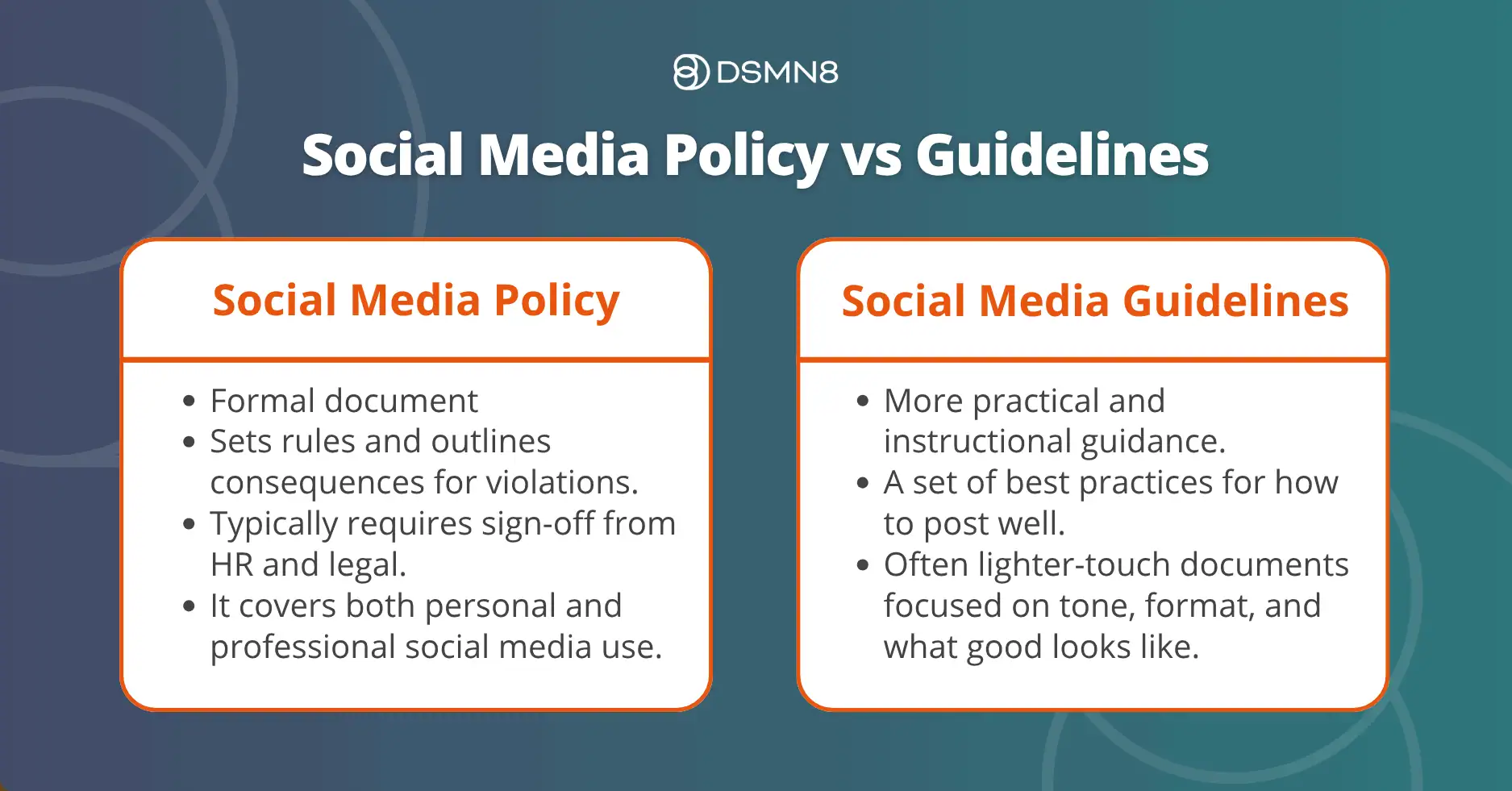
These terms get used interchangeably, but there’s a meaningful distinction.
A social media policy is a formal document. It sets binding rules, can outline consequences for violations, and typically requires sign-off from HR and legal. It covers both personal and professional social media use.
Social media guidelines are more practical and instructional: a set of best practices for how to post well. They’re often lighter-touch documents focused on tone, format, and what good looks like.
You need both. This guide covers policy. For guidelines, see our 12 Employee Social Media Guidelines resource.
Who Does a Social Media Policy Apply To?
Your policy should be explicit about scope, because ambiguity creates gaps.
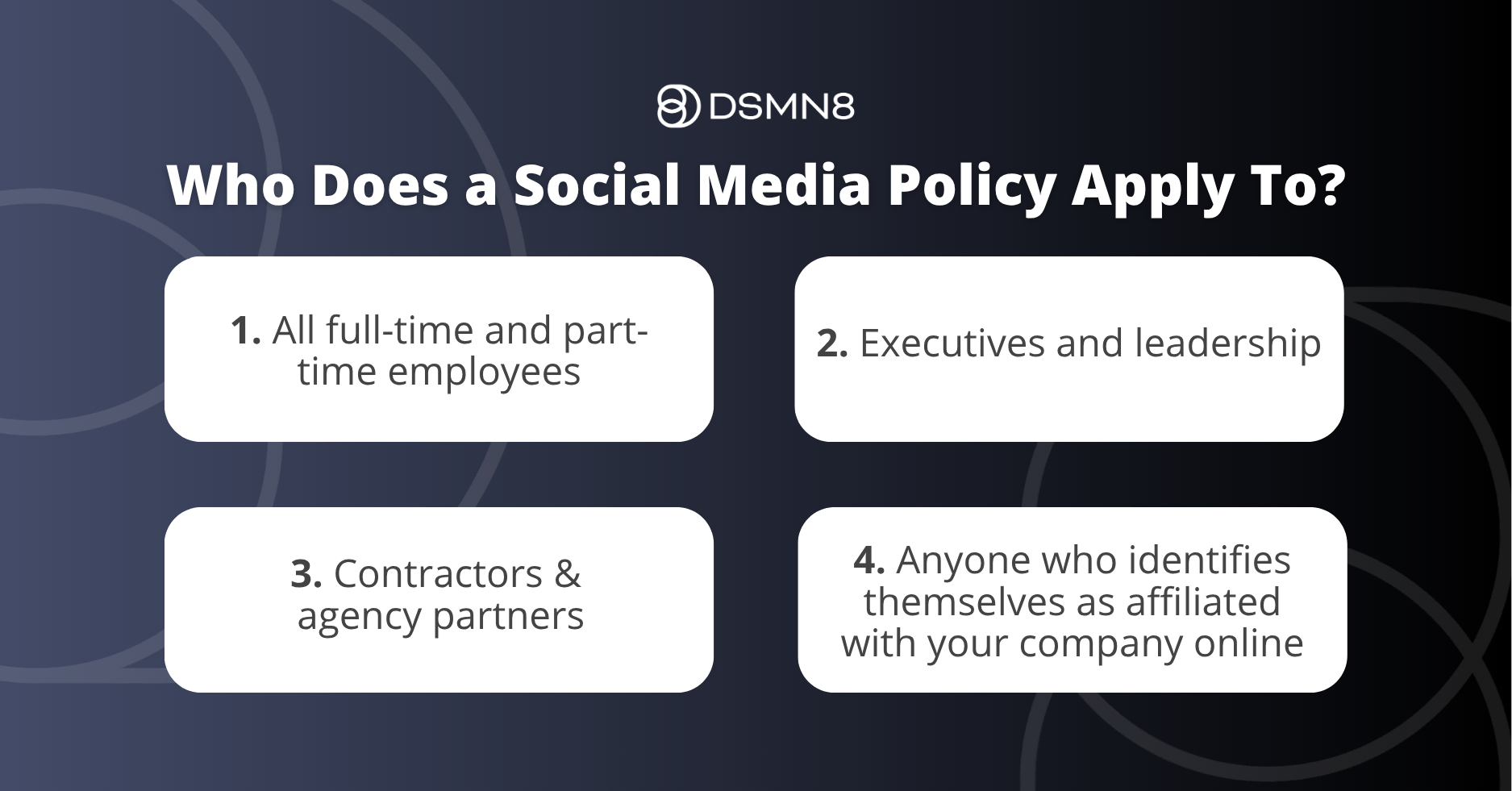
A well-defined social media policy covers:
- All full-time and part-time employees
- Executives and leadership
- Contractors and agency partners who work on your behalf
- Anyone who identifies themselves as affiliated with your company online
It applies across all platforms (LinkedIn, X/Twitter, Instagram, Facebook, TikTok, YouTube, personal blogs, and any other public-facing channel), not just the ones your marketing team manages.
It also applies at all times, not just during working hours. A problematic post published on a Sunday evening still reflects on your company.
Why You Need an Employee Social Media Policy
Today, building a brand is social-first, and your employees are your most visible brand ambassadors.
Whether it’s a customer service interaction or an employee sharing a team photo on LinkedIn, every post shapes how your brand is perceived.
That’s why a clear social media policy isn’t just a nice-to-have; it’s essential.
Millennials and Gen Z, digital natives who grew up with social media, now make up a large percentage of the workforce. They will be active online.
To support them and protect your brand, it’s time to write (or rewrite) your social media policy. One that doesn’t just restrict, but enables.
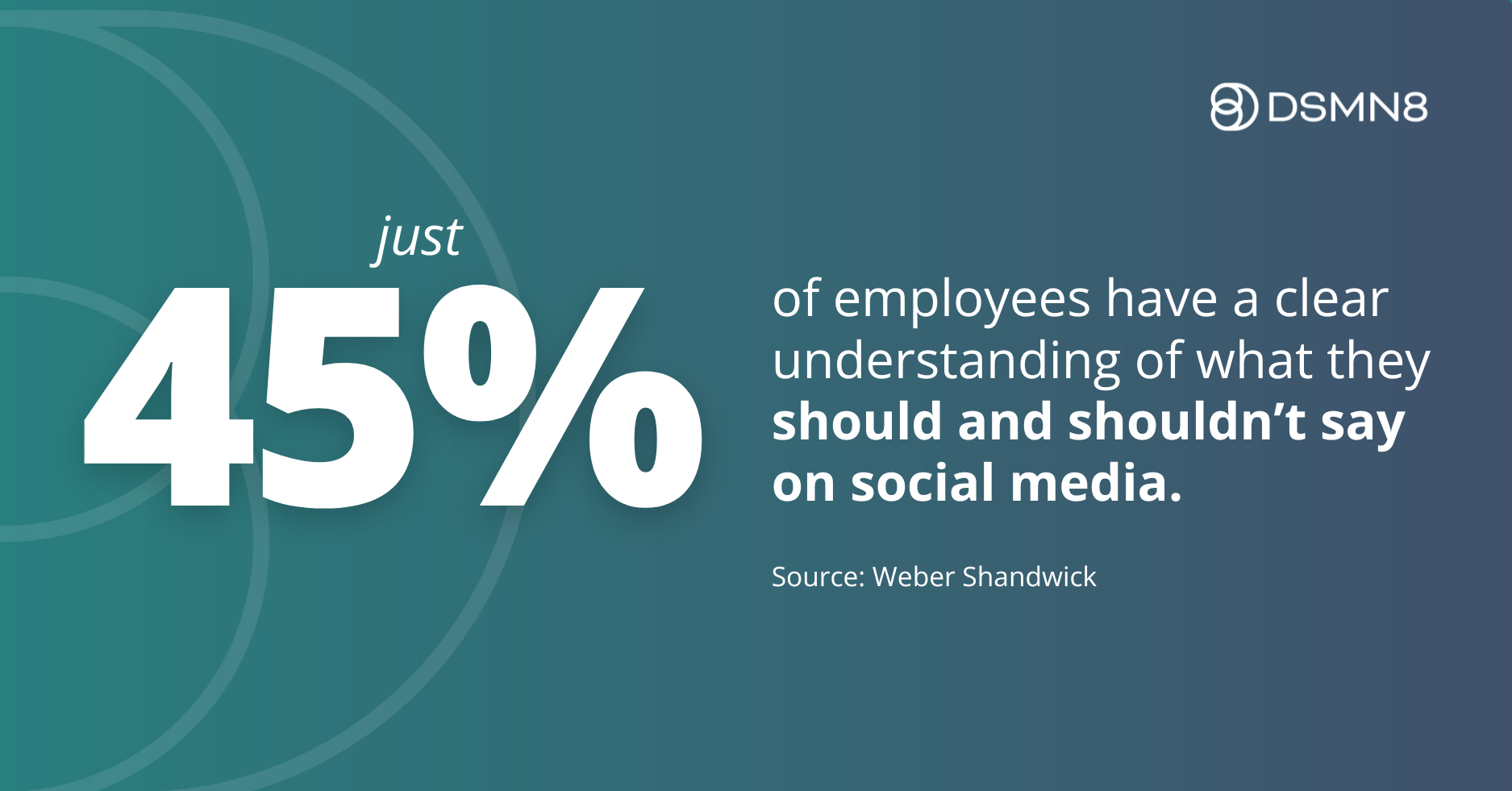
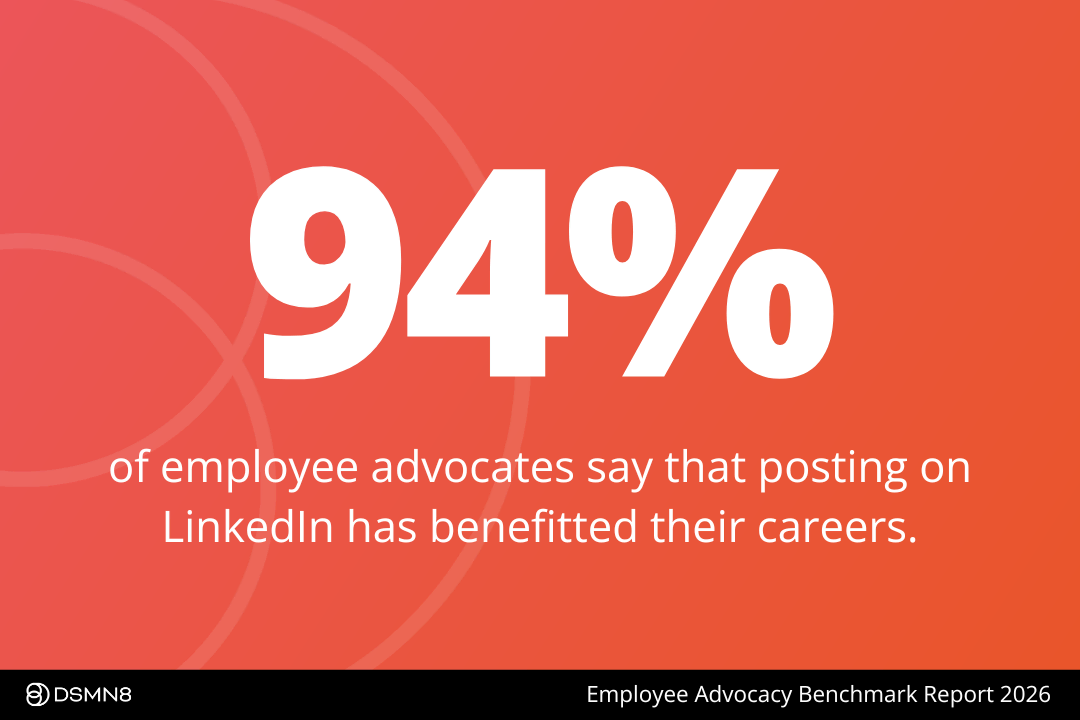
Here are some numbers to make you think:
Your employees are already using social media at work.
The question is whether your company benefits from that or ignores it.
The Benefits of Having a “Socially Active” Workforce
The benefits of employees using social media for work far outweigh the risks.
And this is exactly what your new policy should be centered around: enabling employees to promote your brand online while making it clear what is and isn’t acceptable.
Employee advocacy programs have skyrocketed in popularity over the past few years.
For the unacquainted:
Employee advocacy is the promotion of a company or its products and services by employees.
It’s essentially word-of-mouth marketing on social media, driven by your team.
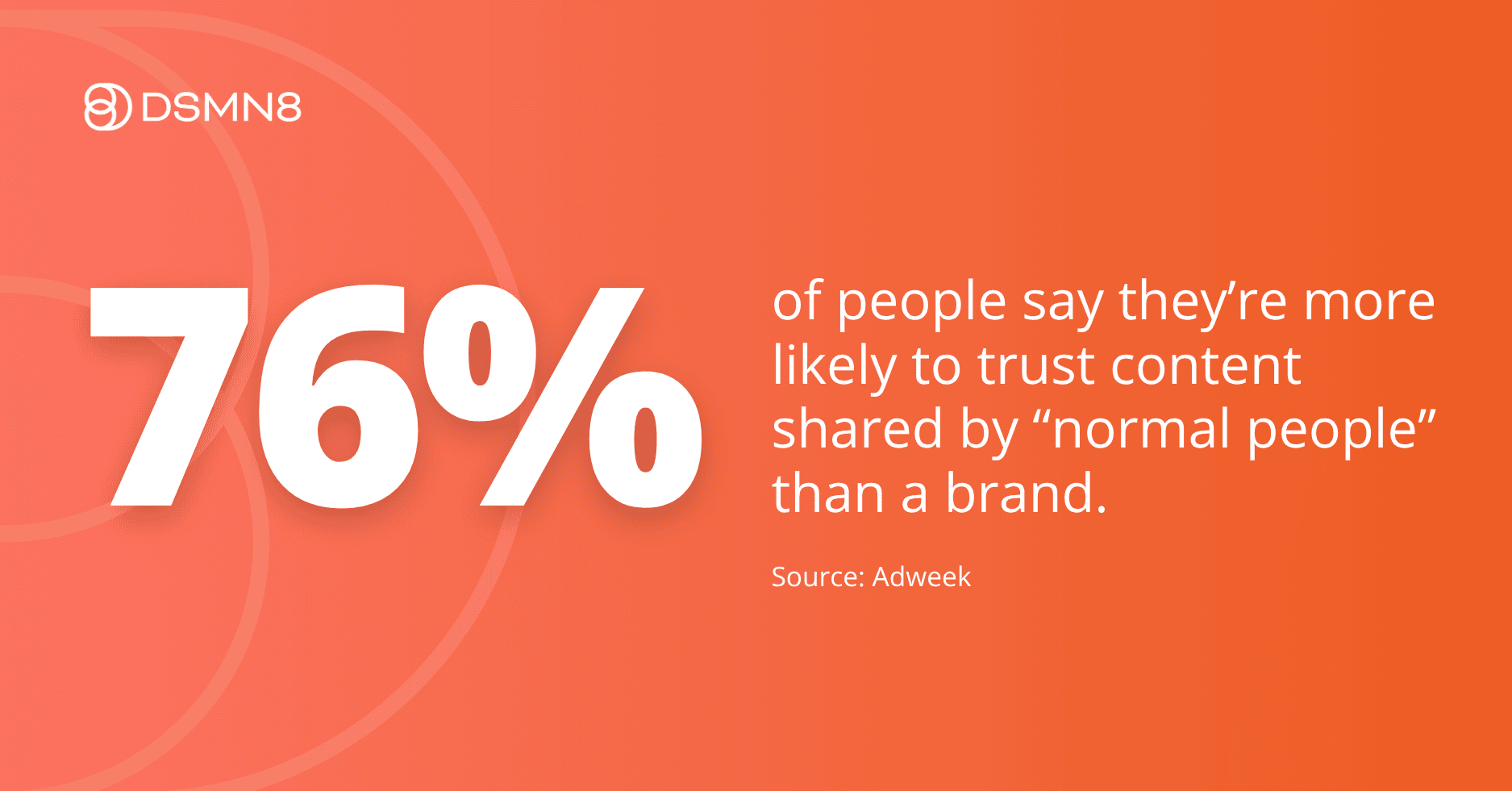
People want to hear from people over brands.
Employee advocacy allows you to communicate with your key audiences in the most authentic and transparent way possible.
Whether you’re aiming to take your content the extra mile or to build your employer brand to drive recruitment, here are some employee advocacy statistics that’ll make you think:

18 Must-Haves for a Modern Social Media Policy
Got everything you need? Skip ahead to the free template.
If you’re ready to build your policy now, download the free editable template and customize it for your company. Or keep reading for the full breakdown of what every modern policy should include.
1. Get your tone of voice right.
Write for your employees, not for legal. Your policy should be clear, direct, and human.
If it reads like a terms and conditions page, it won’t get read 🥱
The goal is an encouraging document that gets employees excited about using social media for work, not one that makes them nervous about every post they’ve ever published.
2. Hold on, I recognise that…
Ensure that your employees understand basic copyright laws.
This should include links to image rights and GDPR rules.
Plagiarism isn’t a good look 😬
It doesn’t come across as authentic, puts your brand in a negative light, and in some cases can even lead to legal trouble.
3. That’s private!
Make sure your employees are aware of customer and client confidentiality.
You don’t want them sharing sensitive details that could harm both customer and audience relationships.
4. Just be nice.
Remind employees to consider and be respectful of their audiences 👍
Social media has become the #1 destination for discussing social issues.
As the lines between social media for professional and personal use become increasingly blurred, they should be reminded that any behavior that isn’t accepted in the workplace won’t be tolerated in the digital world.
5. Keep it real.
Encourage your employees to be themselves.
There’s nothing more authentic than being yourself, and generally speaking, using social media is much easier when you adopt this mentality!
Remind them to avoid any “pseudo identities” and encourage transparency. It shouldn’t be a secret who they work for, and you’ll want them to talk loud and proud about this, as it can be great for your employer brand.
Employees should write and talk in the first person.
You’re not encouraging them to be robots, after all.
6. Keep a lid on it...
Emotions run high online, especially nowadays when we’re exposed to so much injustice and misinformation.
Passion is great, and you should absolutely speak when you feel it’s right and just, but draw the line at anger.
We’ve all been there… you’ve had a difficult day, your emotions are already running high, somebody says something, or you see something online, and you furiously type out a response.
Take a minute and think about it before you press send 👌
7. Once it’s there, it’s there forever.
Nothing ever really disappears once it lands on the internet.
You might hit delete on that tweet or remove that LinkedIn comment, but often it’s too little too late.
People can screenshot, retweet, re-share, you name it. Once it’s online, it will always exist somewhere.
8. Uh oh, I made a boo-boo.
It happens! 🤷♂️
Whether it’s deleting a comment or correcting something they’ve said, encourage employees to sort it sooner rather than later.
If they’re not sure how to handle the situation, the social team is on hand for situations like this, and they shouldn’t be afraid to reach out.
9. We’ve got your back!
Provide a point of contact for your employees to reach out to 👋
Things come up all the time.
It could be a bad response to one of their posts or a difficult question from a client/customer.
They’re not always expected to know what to say, and that’s okay!
Having a point of contact assures them that someone is at hand if they need assistance.
10. Be helpful.
Social media and personal branding are all about building your community.
Whether it’s weighing in on a topic that aligns with their work or responding to a comment on one of their posts about the company, you should encourage employees to engage with their audiences when the opportunity arises.
Sometimes being authentic just means sharing helpful content with their audiences. It all helps to build trust and rapport with their networks 🙏

11. Give us a follow!
Tell your employees to follow your branded channels.
It’s a great place for them to start, especially if they’re not so confident with using social media.
Following your branded social channels will allow your employees to find “oven-ready” content they can share themselves.
It also serves as a bit of inspiration if they’re stuck for something to say 🤷♂️
They’ll likely find it easier to engage with the company/other employees before connecting with your wider industry.
12. Remember our etiquette.
As an employer, you will likely have run them through a code of conduct outlining how to behave in the workplace during onboarding.
Remind your employees that the same behavior is expected from them online as well as in the office or on internal channels.
13. Don't fall down the rabbit hole...
It’s easy to get lost in social media.
We’ve all been there.
You open LinkedIn to message someone or post something, and half an hour later, you’re reading a rags-to-riches story from an entrepreneur 🤦♂️
Remind employees that while social media usage is encouraged, it should not distract from or disrupt the day job.
14. Use this LinkedIn profile checklist.
When it comes to social media for work, LinkedIn should be the first-choice platform.
And getting started on LinkedIn begins with setting up your profile.
It sounds simple enough, right?
Your name, a bio, your photo…
But there’s doing it, and then there’s really doing it 💪
If you want your employees to reap the benefits of being more active on social media, you’re going to want to include a checklist and some best practices on how to optimize LinkedIn profiles.
We’ve included one in our downloadable template to save you some time!
15. Follow LinkedIn best practices.
Okay.
So you can’t just say:
“You should post to social media”
And expect them to become social media experts.
How often should they post?
Do they know what community management is?
What kinds of posts does LinkedIn prioritize right now?
Algorithms can be mean, after all 😩
Include some best practices and include as many resources as possible so that your employees can implement a plan and start adding structure to their posts.
Don’t sweat it, though. We’ve included some tips and resources in our template.
16. Follow our brand guidelines.
Include a few pointers on how to keep imagery and messaging on-brand.
You’ll want to outline things like:
- How to use the company logo.
- How to write the company name (it’s DSMN8, not dsmn8!) 🧐
- Which hashtags to use.
Include a link to your digital press kit if you have one.
17. Employee FAQs
Naturally, your employees will have some questions.
Whether from past experience or common sense, try to answer a few questions that you expect to arise.
Example employee questions might include:
- Can I be fired for something I’ve said online?
- Is my social media activity being monitored?
- Who owns my social media account if it’s being used for work?
Answering these should reassure employees and also save your point of contact some time replying to hundreds of queries.
18. Have fun!
Stress that above all else, employees should enjoy their time on social media.
By encouraging employees to use social media to build their personal brands, you’re opening a world of possibilities for them, no matter their role 👍
Being active on social enables employees to start conversations and generate leads with social selling, build their personal brand, and progress within their role/career by networking and demonstrating thought leadership.
AI-Generated Content: What Your Policy Needs To Say
Most social media policies haven’t caught up with how employees are actually working.
AI tools are now part of daily workflows. Your policy should address this directly. Here’s what to cover:
DSMN8’s Personal Voice AI tool helps employees streamline content creation while retaining their unique style and tone.
Check out our guide to AI in employee advocacy for best practices.
How to Distribute Your Social Media Policy
90% of companies fall at this hurdle.
(Not an official stat—but it happens A LOT 🧐)
They spend weeks perfecting a social media policy… then don’t actually share it effectively.
It’s buried in an intranet folder no one opens, and isn’t mentioned in onboarding.
Your policy exists to encourage employee advocacy, so make sure people see it.
Even though employees are already on social media, many are still hesitant to post about work.
Years of “don’t post or else” messaging doesn’t vanish overnight.
📢 Here’s how to change that:
-
Share your policy via your high-engagement internal comms channels, like Slack or Teams.
-
Host quick team calls or webinars to walk through it.
-
Get HR, C-Suite, and department leads to spread the message.
-
Add it to your onboarding pack for every new starter.
Make it easy. Make it visible. Make it stick.
🎧 Want more tips on brand consistency? Listen to our podcast with Maike Jansen, Employee Advocacy Lead at Dentsu Benelux:
Great Social Media Policy Examples
Naturally, every company’s policy will be different, both in terms of its contents and its appearance.
Some companies might need a much longer document…
(Emphasis on ‘might’ as we remain skeptical)
Either way, try to take a step back for a second.
Consider what will resonate with your workforce and what they’ll be inclined to actually read and ultimately understand.
Here are some great (and very different) examples from some of the world’s best-known brands:
GAP
GAP has absolutely nailed it with their policy 👏
Sure, it doesn’t tick all the boxes in terms of things we’ve suggested you include, but the tone of voice and humorous nature of it make it a document that employees will actually take the time to read.
It also includes some nice visuals and is very much to the point.
“If you #!%#@# up? Correct it immediately and be clear about what you’ve done to fix it. Contact the social media team if it’s a real doozy.”
💡 The takeaway: Employees will engage with a policy that feels like it was written for them. Tone matters as much as content.
Coca-Cola
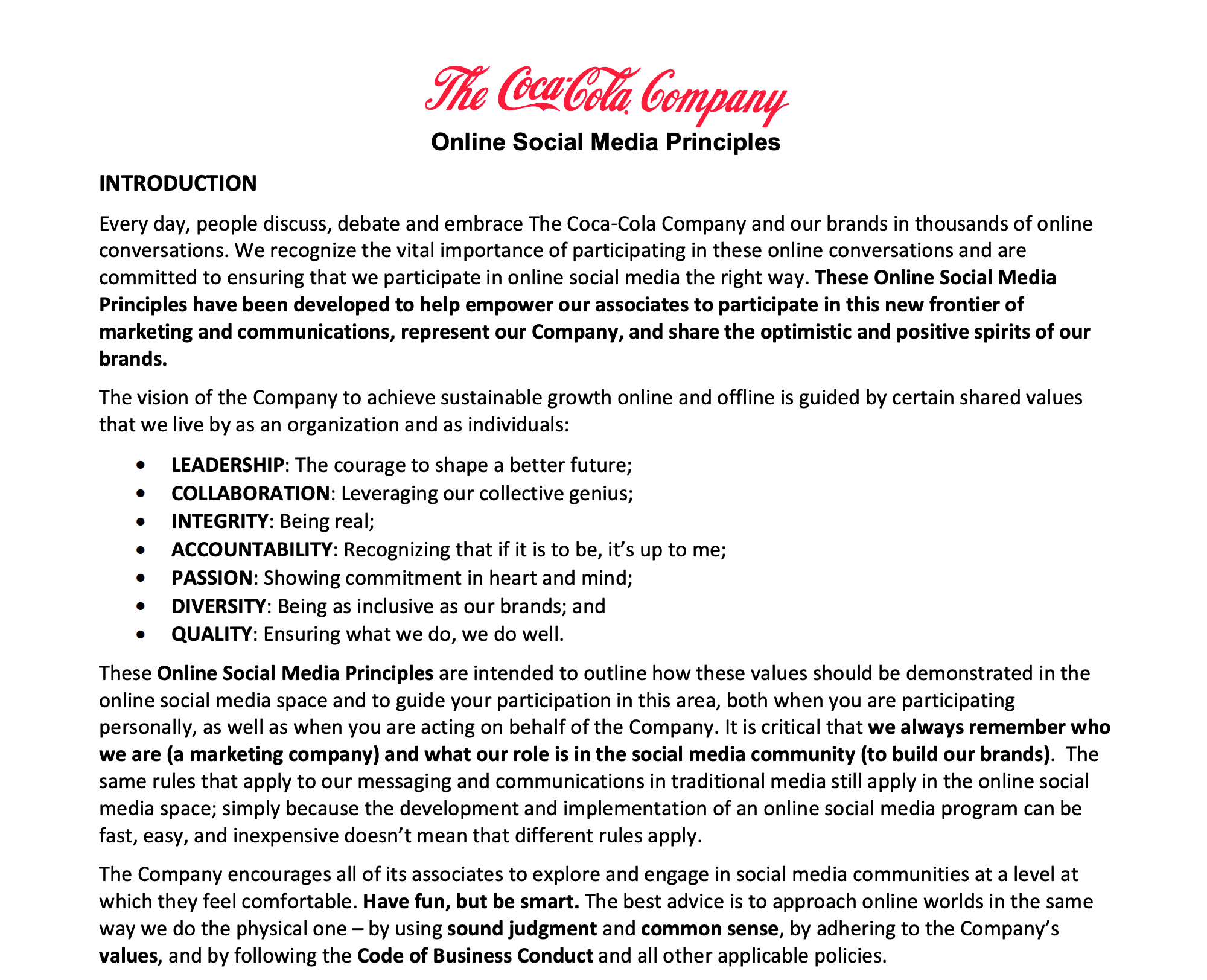
Coca-Cola’s guidelines are comprehensive and clear, but it’s lacking in the visual department.
Excluding the brand’s logo, it’s predominantly a standard black-and-white document, and the text is quite bunched up.
Thankfully, it’s only three pages, but at first glance, it won’t thrill any employee to be told that they have to read this 🤔
In the age of short attention spans, keeping things visually stimulating makes a difference.
💡 The takeaway: Invest in readability: a policy nobody finishes isn’t as effective as it could be.
Intel
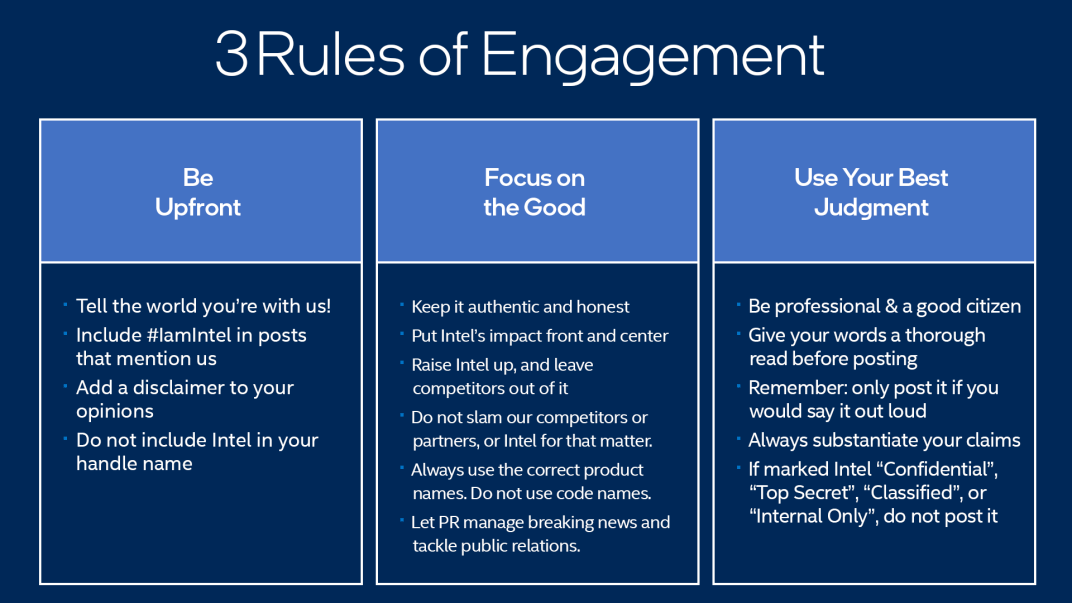
Intel’s social media policy is an excellent example.
Though the full policy is very text-heavy, they’ve also broken it up into 3 easy-to-understand rules of engagement 👇
- Be Upfront
- Focus on the Good
- Use Your Best Judgment
Their introduction copy is positive and encouraging, emphasizing that they trust employees:
“What do our policies mean? They mean that we trust you. We bring smart people into the Intel family and we expect you to make smart decisions. This means that you are both the person in the best position to tell the world why Intel is such an amazing place to be and the person best suited to protect Intel from harm.”
💡 The takeaway: Three rules you can remember beat 30 you can’t. If you can distill your policy to a handful of governing principles, employees will actually internalize them.
Your Social Media Policy Template
Ready to create a social media policy of your own?
We’ve rolled all of these tips together into a free social media policy template.
It’s fully editable, customizable, and can be white-labelled as your own. Easy!
Frequently Asked Questions
What is a social media policy?
A social media policy is a set of rules that outline how employees should behave on social media, whether they’re posting on behalf of the company or on their personal profiles. It helps protect the brand and empowers employees to represent the company positively.
Why do companies need a social media policy in 2026?
In 2026, the digital landscape is evolving fast with new platforms, AI-generated content, and stricter privacy regulations. A social media policy ensures your brand remains compliant, consistent, and protected while encouraging responsible advocacy.
What should be included in an employee social media policy?
Key components include:
-
Brand voice and tone guidelines
-
Disclosure and transparency rules
-
Confidentiality reminders
-
Crisis communication protocols
-
Platform-specific best practices
How can a social media policy support employee advocacy?
By providing clear dos and don’ts, a good policy builds confidence among employees to share company content. It creates a framework that encourages participation while minimizing risk.
Should employees be allowed to post about work on social media?
Yes—if supported by a well-structured policy. Encouraging authentic, respectful, and value-aligned content helps humanize your brand and increase visibility through trusted voices. Get the free DSMN8 advocacy-ready social media policy template to make this easy.
Ready to get started with the top-rated employee advocacy platform?
Wondering how active your team already is, and how this compares with your competitors?
More resources for getting employees active on social media in a risk-free way:

Lewis Gray
Senior Marketing Manager at DSMN8. Lewis runs DSMN8's own employee advocacy program, putting the platform into practice from the inside, hosts The Employee Advocacy Podcast, and launched the Employee Advocacy Certification Course. His background in sales informs his approach to demand generation and B2B content strategy.